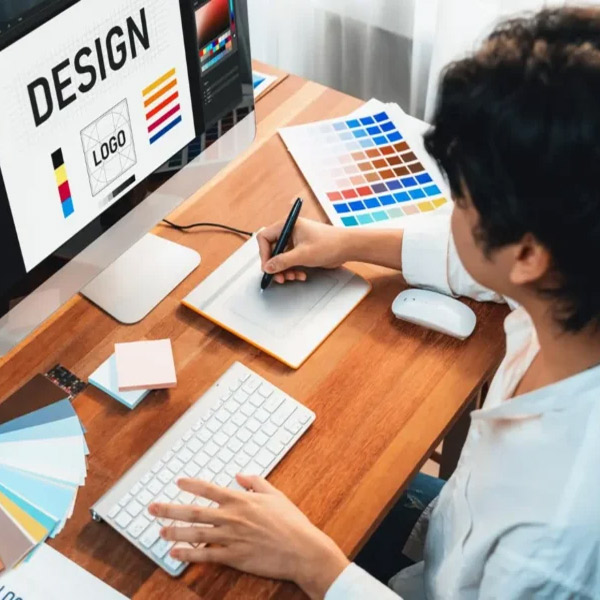
Web Design Bootcamp

  • Growing Career Field: Web design is one of the most in-demand digital skills.
  • Creative Opportunities: Build visually appealing and interactive websites.
  • Work Flexibility: Opportunity for freelancing and remote work.
3 Months ₹22,999 ₹16,999

Join 2520+ students who have already benefited from this course.

Web Design Bootcamp
Limited Seats Available

Upgrade Your Skills
With Industry Ready Courses

Enroll Now

Fast onboarding • Secure • AI-powered experience
Enrollment submitted successfully.

Enrollment Successful 🎉


Course Overview

Web Designing is a fast-growing field that focuses on creating modern, responsive, and user-friendly websites. This 3-month program is designed for beginners who want to develop both creative and technical skills required in the web industry. Throughout the course, students will learn how to design structured web pages, apply modern styling techniques, and build interactive elements. The training is focused on real-world implementation, helping learners gain confidence in designing professional websites from scratch.

Course with Live Project

No Refund Available

step-by-step learning: covers everything from basic to advanced web design concepts.

modern design approach: learn current design trends and responsive techniques.

Hands-on Practice: Work On Multiple Projects For Real Experience.

Course Content

  • overview of web designing and development
  • difference between ui and ux design
  • importance of user-centered design
  • web design industry trends
  • basics of websites and web applications
  • role of designers in it industry
  • introduction to design thinking
  • career opportunities in chandigarh & mohali it sector

  • installation of vs code
  • understanding code editor features
  • browser developer tools usage
  • extensions and plugins setup
  • file structure and project setup
  • version control basics (git intro)
  • live server configuration
  • workflow optimization techniques

  • structure of html document
  • basic tags and elements
  • text formatting tags
  • lists and tables
  • images and multimedia
  • anchor tags and linking
  • semantic html introduction
  • seo-friendly html practices

  • html forms and input types
  • form validation techniques
  • audio and video embedding
  • iframes and integrations
  • meta tags for seo
  • accessibility basics
  • best practices for clean markup
  • cross-browser compatibility basics

  • introduction to css
  • types of css (inline, internal, external)
  • selectors and specificity
  • colors and background properties
  • fonts and typography
  • units and measurements
  • styling text elements
  • css best practices

  • margin, padding, and border
  • box sizing techniques
  • background images and gradients
  • shadows and effects
  • overflow and visibility
  • styling links and buttons
  • display properties
  • debugging css issues

  • positioning (static, relative, absolute, fixed)
  • float and clear concepts
  • inline vs block elements
  • z-index and stacking context
  • layout structuring methods
  • page alignment techniques
  • common layout mistakes
  • practical layout building

  • flex container properties
  • flex item properties
  • alignment and justification
  • responsive layouts using flexbox
  • flex direction and wrapping
  • real-world layout examples
  • navigation bar creation
  • troubleshooting flex issues

  • grid container setup
  • rows and columns
  • grid areas and templates
  • alignment in grid
  • responsive grid design
  • grid vs flexbox comparison
  • practical layout creation
  • advanced grid concepts

  • importance of responsive design
  • media queries
  • mobile-first approach
  • breakpoints and layouts
  • flexible images and videos
  • responsive typography
  • testing on devices
  • best practices for responsiveness

  • introduction to javascript
  • variables and data types
  • operators and expressions
  • functions and scope
  • events handling
  • dom manipulation basics
  • conditional statements
  • debugging techniques

  • arrays and objects
  • loops and iterations
  • form validation using js
  • event listeners
  • dynamic content creation
  • basic animations
  • api introduction
  • practical mini projects

  • introduction to figma interface
  • wireframing techniques
  • layout grids
  • components and assets
  • designing website ui
  • prototyping and interactions
  • collaboration features
  • exporting design assets

  • canva interface overview
  • social media design
  • banner and poster creation
  • color combinations
  • typography in design
  • branding basics
  • image editing tools
  • exporting and sharing designs

  • user research methods
  • personas creation
  • user journey mapping
  • wireframes and prototypes
  • usability testing
  • information architecture
  • design thinking process
  • improving user experience

  • planning a real website project
  • ui design to development workflow
  • frontend implementation
  • responsive project building
  • testing and debugging
  • performance optimization
  • seo implementation basics
  • final project presentation

  • online coaching website
  • display courses, teachers, and schedules
  • enquiry and admission form system
  • student testimonials and success stories section
  • mobile-friendly and clean layout
  • product landing page
  • single product promotional website
  • features, pricing, and benefits section
  • call-to-action buttons for purchase
  • attractive animations and responsive design

Skills Developed in Web Designing Course

Html5 & Css3: Create and style modern web pages
Responsive Design: Build websites for mobile, tablet, and desktop
Layout Techniques: Work with flexbox and grid systems
Javascript Basics: Add interactivity and dynamic features
Ui/ux Fundamentals: Improve user experience and usability
Website Structuring: Plan and organize complete websites
Debugging Techniques: Fix layout and functional issues
Project Development: Build real-world website projects
Design Thinking: Enhance creativity and visual skills
Problem Solving: Strengthen logical and analytical thinking

Career Opportunities After the Web Designing Course

This course opens doors to multiple high-demand career paths across industries.

Professional Web Designer:

Create modern and responsive websites

Junior Frontend Developer:

Work on user interface development

Freelance Designer:

Handle client-based web design projects

Ui Designer:

Design clean and user-friendly interfaces

Website Coordinator:

Manage and update website content

Why Enroll in Web Designing with Solitaire Learning

Industry-focused Training: Learn skills based on current market needs
Practical Learning Method: More focus on real projects than theory
Beginner To Advanced Coverage: No prior coding knowledge required
Job-ready Skills: Prepare for real work environments
Continuous Support: Guidance, doubt solving, and career help
Frequently Asked Questions

Have Questions About This Course?

Find answers to the most common questions learners ask before enrolling.

Yes, HTML and CSS are the most important basics. They are used to create and style web pages. Without them, web designing cannot be properly learned.

No, JavaScript is not compulsory at the starting stage. It is useful for adding interactivity to websites later. Basic web designing can be learned without it.

Basic creativity and design sense are helpful. You should have an idea about colors, layouts, and visuals. Professional design skills are developed during training.

No, UI/UX knowledge is not required before starting. It is taught during advanced stages of training. It helps in improving user experience and interface design.

No prior software knowledge is required. Tools like Figma, Photoshop, and VS Code are taught during training. You will learn how to use them step by step.

Web design is the process of creating the visual layout and structure of a website. It focuses on how a website looks and feels to users. It includes design, colors, layout, and user experience.

Web designing requires skills in HTML, CSS, and basic JavaScript. Knowledge of UI/UX design and responsive design is also important. Creativity and attention to detail help in making attractive websites.

Web designing focuses on the visual appearance and user interface of a website. Web development focuses on functionality and backend systems. Designing is about look, development is about working features.

Common tools include Figma, Adobe XD, Photoshop, and VS Code. These tools help in creating layouts and designing user interfaces. Browser tools are also used for testing designs.

Basic coding knowledge of HTML and CSS is required for web designing. Advanced designs may use JavaScript for interactivity. However, many design tools also help create layouts without heavy coding.

Responsive web design means a website adjusts automatically to different screen sizes. It works properly on mobile, tablet, and desktop devices. It improves user experience and accessibility.

Career options include Web Designer, UI Designer, UX Designer, and Frontend Developer. Web designing is in high demand in IT companies and digital agencies. It offers good growth opportunities.

UI (User Interface) focuses on visual design like buttons and layouts. UX (User Experience) focuses on how users interact with the website. Both work together to improve usability.

Yes, web designing can be learned from scratch. Beginners can start with HTML and CSS basics. Practice and projects help in building strong designing skills.

Yes, web designing is a good career in the digital industry. Every business needs websites, increasing the demand for designers. It offers freelance and full-time job opportunities.
Course FAQ

Ready to Take the Next Step in Your Career?

Join our expert-led training program, gain industry-recognized skills, and move closer to your professional goals. Seats are limited — enroll today!

Recommended Courses for You

👉 Search courses here!!